

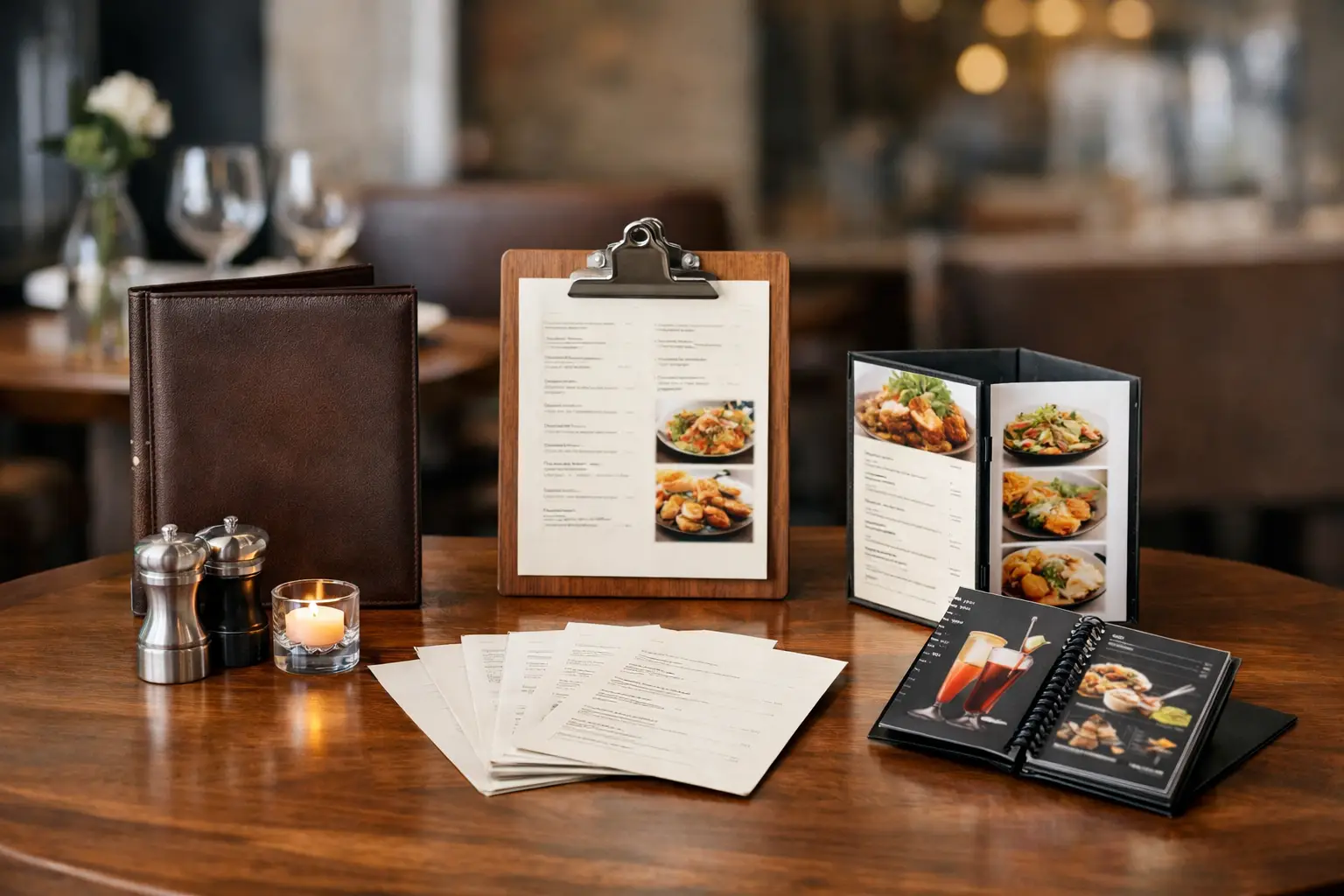
A menu is handled more often than most restaurant print materials. It is passed between guests, servers, hosts, and kitchen staff, exposed to spills, wiped down repeatedly, and updated when prices or specials change. The right restaurant menu printing options balance presentation with the practical demands of daily service.
A fine-dining dining room, a high-volume café, and a takeout counter do not need the same menu product. Format, paper stock, finish, quantity, and replacement frequency should all be decided before placing an order. A menu that looks premium but cannot stand up to daily handling can create more cost and work than a simpler format.
Start With How the Menu Will Be Used
Before choosing a size or finish, decide where and how the menu will be used. Table-service restaurants typically need durable menus that remain clean and readable through many shifts. Fast-casual restaurants may use wall menus, counter cards, folded handouts, or single-sheet menus that are easy to update. Bars often need compact drink menus, while catering businesses may need event-specific menu cards with shorter print runs.
Consider whether the menu is permanent, seasonal, temporary, or changed frequently. If prices, ingredients, or specials are updated every few weeks, an economical paper menu may be the better purchase. If the menu remains in place for months, heavier stock and lamination can reduce replacement costs.
Menu size also affects service. Large menus create room for food descriptions, photos, and wine selections, but they can feel inconvenient on small tables. Smaller menus are easier to manage, particularly for cafés, dessert menus, drinks lists, and limited-service concepts. A clear hierarchy matters more than fitting every item onto one page.
Restaurant Menu Printing Options by Format
The format determines how guests interact with the menu and how much content it can carry. Select a format based on the number of categories, table space, and how often the menu will be replaced.
Flat single-sheet menus
Flat menus are a direct option for restaurants with a focused selection. Common sizes include letter size, legal size, and custom dimensions. They are suitable for breakfast menus, lunch menus, drink lists, takeout inserts, and daily specials.
A flat menu can be printed on standard paper stocks for short-term use or on heavier cover stock for a more substantial feel. Lamination is worth considering when the same menu will be reused at tables. For quick-service counters, a flat menu may also be placed in a menu holder or displayed at the register.
Folded menus
Bi-fold and tri-fold menus provide more space without requiring an oversized sheet. They work well for restaurants with multiple food categories, separate beverage selections, or detailed descriptions. A bi-fold menu is often easier to scan than a crowded single sheet, while a tri-fold format can organize appetizers, entrées, desserts, drinks, and contact information into separate panels.
Keep folds in mind during design. Small text, important prices, or detailed images should not sit directly on a fold line. Allowing proper safe margins prevents content from looking cramped after trimming and folding.
Booklet menus
Booklet menus suit larger restaurants, hotel dining rooms, extensive wine lists, specialty cuisines, and concepts with a wide range of choices. They provide room for category dividers, full descriptions, photos, and brand messaging.
The trade-off is higher setup and printing cost, especially when menus need frequent revisions. Booklet menus are best when the content is stable enough to justify the added pages and binding. For changing wine lists or rotating specials, use a separate insert rather than reprinting the entire booklet.
Laminated and waterproof menus
Laminated menus are a practical choice for high-touch environments. They are easier to wipe clean and more resistant to splashes, grease, and wear. Gloss lamination produces a brighter, more reflective finish, while matte lamination reduces glare from restaurant lighting and is often easier to read under pendant lights or near windows.
For poolside dining, patios, bars, food trucks, and outdoor service, waterproof or synthetic menu materials can offer even better resistance to moisture and tearing. These products cost more than standard paper, but they can be useful where replacement is frequent due to weather or spills.
Choose Paper Stock for Appearance and Durability
Paper weight affects how the menu feels in a guest’s hand. Thin text-weight paper is economical for disposable menus, takeout inserts, daily specials, and high-volume promotional handouts. It is not the best choice for table menus that are reused throughout the week.
Cover stock provides a thicker, more professional menu. A 100 lb or 14 pt cover stock is commonly selected for flat menus, folded menus, and cards that need to feel durable without becoming bulky. Heavier stocks can support premium restaurant branding, especially when paired with matte lamination, velvet lamination, or specialty finishing.
Uncoated stock has a natural surface and is useful when guests or staff need to write on the menu, such as catering order forms, tasting sheets, or event packages. Coated stock produces sharper colors and images, making it better for menus with food photography, color blocks, and strong brand graphics. The right stock depends on whether the menu is designed mainly for visual impact, repeated handling, or easy updates.
Select Finishes That Support the Brand
Finishing should serve the menu’s job, not just add decoration. Matte lamination is a reliable option for upscale dining, cafés, and restaurants with detailed text because it limits glare and creates a clean surface. Gloss lamination can make food photos and bright colors stand out, but reflections may be noticeable under direct lighting.
Velvet lamination adds a soft-touch feel that works well for premium cocktail menus, private dining menus, and high-end restaurant presentation. It is more of a brand choice than a necessity, so it makes the most sense for menus with a longer lifespan. Spot UV can highlight a logo, restaurant name, or selected graphic details, while embossing can add texture to a cover or menu folder.
Use specialty finishes carefully. A menu still needs clear type, accurate pricing, and a finish that matches its service environment. A polished cover cannot compensate for hard-to-read categories or a layout that slows down ordering.
Order Quantities Based on Replacement Needs
Menu quantity should be based on seating capacity, table turns, service sections, and backup inventory. Ordering exactly one menu per seat leaves no room for damaged menus, large parties, cleaning rotation, or unexpected demand. Restaurants generally need a reasonable reserve so worn copies can be removed without reducing service readiness.
For a stable menu, larger print quantities usually lower the unit price. For menus that change regularly, smaller batches can avoid wasting outdated stock. This is especially relevant when food costs shift, seasonal ingredients rotate, or local compliance requirements require updates to allergens, calorie counts, or beverage information.
A practical approach is to separate permanent and changeable content. Print the main menu on durable stock, then use smaller inserts for weekly specials, dessert selections, chef’s features, or limited-time cocktails. This keeps the core menu consistent while reducing the cost of routine updates.
Prepare Artwork for Clean Menu Printing
Restaurant menu artwork should be supplied at print-ready quality. Images should be high resolution, logos should be sharp, and colors should be set up consistently across menus, table tents, flyers, signage, and takeout materials. Low-resolution food photos often look soft or pixelated after printing, particularly on larger menu formats.
Leave sufficient bleed around the outer edge of the file so background colors and images extend beyond the trim line. Keep text, prices, and important graphics inside the safe area. This protects key content from being cut too close during trimming.
Readability should guide every design decision. Use clear category headers, enough spacing between items, and type sizes that guests can read in normal restaurant lighting. Limit decorative fonts to headings or logo treatment. Body text should remain simple and easy to scan, especially for descriptions, dietary symbols, and prices.
Build a Menu System, Not Just One Printed Piece
A restaurant’s menu is more effective when it matches the rest of its customer-facing print materials. The same logo, color palette, and typography can carry across table tents, loyalty cards, window decals, takeout flyers, stickers, gift certificates, and staff uniforms. This creates a more consistent guest experience while simplifying repeat ordering.
For businesses that need several products at once, Seaonce can support menu printing alongside promotional print, packaging, signage, and branded apparel. Ordering related materials from one print catalog can make it easier to maintain consistent specifications and visual branding.
Choose the menu format that supports your actual service flow, then invest in the stock and finish that will last for the expected number of uses. A well-printed menu should make ordering easier, reinforce the restaurant’s identity, and stay presentable from the first table of the day to the last.